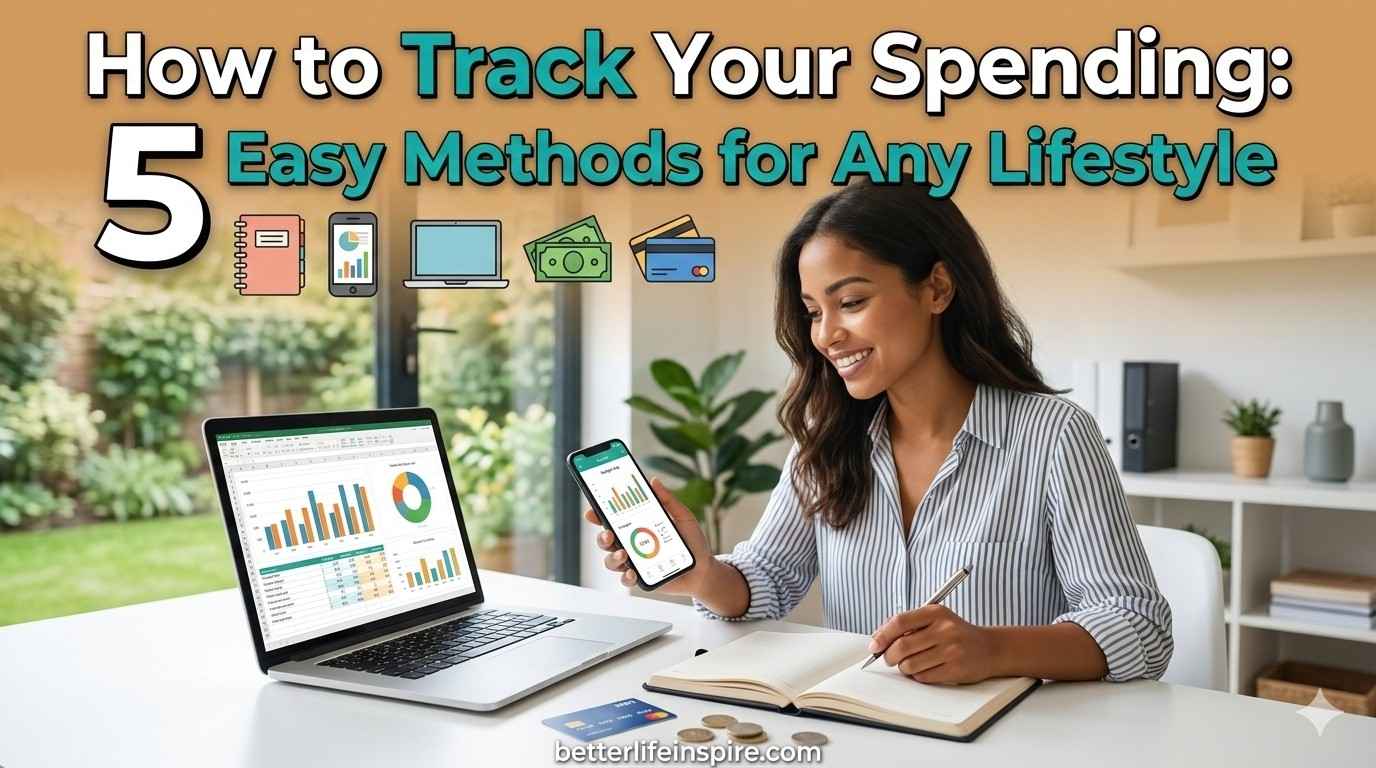

Where does all your money go?
If you can't answer that question clearly, you're not alone. Most people have no idea where their money actually goes each month.
They know the big bills - rent, car payment, insurance. But the rest? It's a mystery.
Here's the problem: You can't manage what you don't measure.
If you don't know where your money is going, you can't make smart decisions about it. You can't cut unnecessary expenses. You can't plan. You can't save.
The solution is simple: Track your spending.
But "simple" doesn't mean easy. Many people start tracking and quit within days. Why? They choose a method that doesn't fit their lifestyle.
This guide will show you five different tracking methods. One of them will work for you.
Why Tracking Your Spending Changes Everything
Before we get to the methods, let's talk about why this matters so much.
You'll Be Shocked:
Almost everyone who starts tracking spending is surprised. That daily coffee? It's actually $150 a month. Those "small" online purchases? They add up to $300.
The shock alone changes behavior. When you see the real numbers, you naturally start making better choices.
You'll Find Money You Didn't Know You Had:
Most people have $200-500 monthly in "leak" spending. Money that slips away on things they don't even remember buying.
Tracking plugs those leaks. Suddenly, you have money to save without earning more.
You'll Make Better Decisions:
Is that subscription worth it? You'll know when you see you only used it once this month.
Should you eat out tonight? Easier to decide when you know you've already spent $400 on restaurants this month.
You'll Reach Your Goals Faster:
Want to save for a vacation? Pay off debt? Build an emergency fund?
Tracking shows you exactly where to find the money. No guessing required.
The Golden Rules of Tracking (No Matter Which Method You Choose)
Before we dive into specific methods, these rules apply to all of them:
Track Everything:
Not just big purchases. EVERYTHING. The $2 parking meter. The $1.50 bottle of water. The $5 app purchase.
Small amounts add up. They're often where the biggest leaks are.
Be Honest:
Don't edit or judge as you track. Just record reality. You can't fix problems you hide from yourself.
Do It Immediately:
Track each purchase right away. Waiting until the end of the day means you'll forget things.
Give It Time:
Track for at least 30 days before making conclusions. One week doesn't show the full picture.
Your spending varies week to week. A full month gives you accurate data.
Review Regularly:
Tracking without reviewing is pointless. Set aside time weekly to look at your spending patterns.
Now, let's explore your tracking options.
Method 1: The Classic Notebook
What It Is:
Carry a small notebook everywhere. Write down every purchase the moment you make it.
Best For:
- People who prefer pen and paper
- Those who want a break from screens
- Anyone who likes simple, tactile methods
- Older adults who aren't comfortable with apps
How to Do It:
Get a notebook small enough to carry in your pocket or purse. Date each page.
For each purchase, write:
- What you bought
- How much it cost
- Category (food, transport, entertainment, etc.)
At the end of each week, add up totals by category.
At month's end, calculate your monthly totals for each category.
Pros:
- No technology required
- No apps to learn
- No battery or internet needed
- Private (not sharing data with apps)
- Quick and simple
- Works anywhere
Cons:
- You might forget your notebook
- Math is manual (more time-consuming)
- Harder to see patterns without calculations
- Can get messy
- Easy to lose
Tips for Success:
- Keep the notebook with your wallet so you never forget it
- Use abbreviations to save time (G for groceries, R for restaurant)
- Color-code categories with highlighters when reviewing
- Take a photo of each page as backup
Method 2: Spreadsheet Tracking
What It Is:
Use Excel, Google Sheets, or similar software to log every expense in a digital spreadsheet.
Best For:
- People comfortable with computers
- Those who like to see data and charts
- Anyone who wants customization
- People who enjoy detailed analysis
How to Do It:
Create a simple spreadsheet with these columns:
- Date
- Description
- Category
- Amount
- Payment Method (cash, credit card, etc.)
Use formulas to automatically calculate totals by category.
Google Sheets works on phone and computer, so you can log anywhere.
Pros:
- Automatic calculations
- Easy to see totals and patterns
- Can create charts and graphs
- Completely customizable
- Free (Google Sheets is free)
- Accessible from any device with internet
Cons:
- Requires some tech comfort
- Can be overwhelming to set up at first
- Easy to get too detailed and quit
- Requires discipline to update regularly
Tips for Success:
- Start with a simple template (many free ones online)
- Use your phone's sheets app for on-the-go logging
- Set up categories in advance so you're just filling in blanks
- Use dropdown menus for categories to save time
- Schedule weekly "spreadsheet time" to review
Free Template Option:
Search "free expense tracking spreadsheet" and download one. Don't build from scratch unless you enjoy it.
Method 3: Banking App Tracking
What It Is:
Use your bank or credit card app's built-in spending tracker. Most modern banking apps automatically categorize your purchases.
Best For:
- People who use cards for most purchases
- Those who want minimal effort
- Anyone who rarely uses cash
- Tech-comfortable individuals
How to Do It:
Open your banking app. Look for sections like "Spending," "Insights," or "Trends."
The app automatically tracks card purchases. You just review the categories and adjust if needed.
For cash purchases, add them manually or use another method for cash.
Pros:
- Mostly automatic (no manual entry for card purchases)
- Always with you (on your phone)
- Free
- Real-time updates
- Shows trends over time
- Some apps send alerts when you overspend categories
Cons:
- Only tracks one bank/card at a time (problem if you use multiple)
- Categorization can be wrong (restaurant might show as grocery)
- Doesn't track cash spending
- Privacy concerns (bank sees everything)
- Relies on bank's features (limited customization)
Tips for Success:
- Check and correct categories weekly
- Set up spending alerts for categories you want to limit
- If you use multiple cards, check each app
- Keep track of cash separately
- Review monthly summaries your bank provides
Method 4: Budgeting Apps
What It Is:
Use dedicated budgeting apps like Mint, YNAB (You Need A Budget), EveryDollar, or PocketGuard.
Best For:
- People who want an all-in-one solution
- Those managing multiple accounts
- Anyone who wants budgeting help, not just tracking
- Tech-savvy individuals
How to Do It:
Download a budgeting app. Connect your bank accounts and credit cards.
The app automatically pulls transactions and categorizes them.
You review and adjust categories as needed. Many apps also help you create and stick to a budget.
Popular Options:
- Mint: Free, automatic, good for beginners
- YNAB: Paid ($99/year), teaches budgeting methodology, very powerful
- EveryDollar: Free basic version, simple interface
- PocketGuard: Shows "In My Pocket" money after bills and goals
Pros:
- Mostly automatic once set up
- Sees all accounts in one place
- Helpful charts and insights
- Many offer budget creation help
- Mobile and desktop access
- Some offer bill reminders and alerts
Cons:
- Learning curve to set up
- Some require subscription fees
- Need to link bank accounts (security concern for some)
- Can be overwhelming with too many features
- Occasional syncing issues
- Still need to manually add cash
Tips for Success:
- Start with a free app before paying for premium
- Spend time on initial setup (worth it long-term)
- Check the app 2-3 times per week minimum
- Adjust miscategorized transactions promptly
- Use the budget features, not just tracking
- Turn on notifications for overspending
Method 5: The Envelope System (Cash-Based)
What It Is:
Withdraw cash for spending categories. Put each category's cash in a labeled envelope. When the envelope is empty, you're done spending in that category.
Best For:
- People who struggle with card overspending
- Those who prefer tangible money
- Anyone wanting strict spending limits
- People trying to break overspending habits
How to Do It:
Determine your monthly budget by category (groceries, entertainment, personal care, etc.).
At the start of the month, withdraw the total cash needed.
Divide cash into labeled envelopes by category.
Spend only from the appropriate envelope.
When an envelope is empty, stop spending in that category until next month.
Pros:
- Visual and tangible (you see money leaving)
- Natural spending limit (can't overspend if cash is gone)
- No tracking required after initial setup
- Helps break overspending habits
- No technology needed
- Immediate feedback
Cons:
- Requires using cash (inconvenient in card-heavy world)
- Carrying cash can be risky
- Doesn't track specific purchases, just category totals
- Inflexible (can't easily move money between envelopes)
- Doesn't work for online shopping or automatic bills
Tips for Success:
- Start with just 2-3 problem categories (like dining out, entertainment)
- Keep envelopes in a safe place at home
- Use this method alongside card tracking for bills
- If you must dip into another envelope, write it down
- Review at month's end: Which envelopes emptied fast? Adjust next month
Modern Twist:
Some people use this method digitally. Create "envelopes" in savings sub-accounts. Transfer amounts to checking only when spending.
How to Choose Your Method
Still not sure which method fits you? Answer these questions:
Do you prefer paper or digital?
- Paper → Notebook
- Digital → Spreadsheet or App
How often do you use cash?
- Rarely → Banking App or Budgeting App
- Frequently → Notebook, Spreadsheet, or Envelope System
How much time can you spend?
- Minimal → Banking App or Budgeting App
- Moderate → Spreadsheet
- Don't mind the time → Any method works
Do you overspend with cards?
- Yes → Envelope System (at least for problem categories)
- No → Any method works
How tech-comfortable are you?
- Very → Budgeting App or Spreadsheet
- Somewhat → Banking App
- Not very → Notebook or Envelope System
Do you like detailed data?
- Yes → Spreadsheet or Advanced Budgeting App
- No → Banking App or Notebook
Combining Methods (The Hybrid Approach)
You don't have to choose just one. Many people use a combination:
Popular Combinations:
Mostly Cards + Some Cash:
Use banking app for card purchases. Use notebook for cash. Review both monthly.
Digital Tracking + Envelope for Problem Areas:
Use app for most spending. Use envelopes for categories where you overspend (like eating out).
Spreadsheet + Bank App:
Let bank app do the work. Export data to spreadsheet monthly for detailed analysis.
Beginner → Advanced:
Start with simple banking app. Once you're in the habit, upgrade to budgeting app for more features.
The best system is the one you'll actually use consistently.
Your 30-Day Tracking Challenge
Ready to start? Here's your action plan:
Week 1: Choose and Set Up
- Pick your tracking method based on the guidance above
- Set up your system (get notebook, create spreadsheet, download app, etc.)
- Start tracking every single purchase
Week 2: Build the Habit
- Continue tracking everything
- Track immediately after each purchase
- Don't judge, just observe and record
Week 3: Keep Going
- Track consistently
- Notice patterns starting to emerge
- Resist the urge to quit (it's normal to feel this around week 3)
Week 4: Review and Reflect
- Add up totals by category
- Identify surprises
- Notice patterns
- Make decisions based on data
After 30 Days:
You'll have real data about your spending. You'll know where your money actually goes.
Now you can make informed decisions. Cut where it doesn't matter. Keep spending on what brings value.
That's when the real progress begins.
Common Tracking Mistakes to Avoid
Starting Too Complicated:
Don't create 47 categories and track to the penny. Start simple. You can always add detail later.
Judging While Tracking:
The first month is just for gathering data. Don't beat yourself up about what you spent. Just track it honestly.
Giving Up Too Soon:
The first week is awkward. The second week feels tedious. The third week you might forget sometimes. That's all normal.
Push through to 30 days. That's when it clicks.
Not Reviewing:
Tracking without reviewing is like weighing yourself but never looking at the scale. The magic is in the reflection.
Trying to Be Perfect:
Missed logging a $3 coffee? Don't quit the whole system. Just log the next purchase and keep going.
Progress over perfection.
The Bottom Line
You can't manage money you can't see.
Tracking spending is the foundation of financial success. It's the first step we talked about in our Money Management 101 guide.
Choose a method that fits your life. Start today. Give it 30 days.
The insights you'll gain are worth far more than the small effort it takes.
You'll find money you didn't know you had. You'll make better decisions. You'll reach your financial goals faster.
All because you started paying attention to where your money goes.
Your first step: Choose your tracking method today. Start tomorrow morning with your first purchase.